 Music Video
Banke Bihari
Krishna Bhajan
Content ID active

Track revenue, manage videos, monitor analytics and handle payments: everything you need to grow your YouTube business.
InTubeMedia CMS
Channel analytics
Review Content ID matches, track copyright claims and submit release requests with an admin review workflow.
InTubeMedia CMS
Copyright workflow
Monthly per-channel revenue, vendor reports, INR conversion, TDS and payment history from one dashboard.
InTubeMedia CMS
Revenue reports
Manage releases, artwork and videos for every artist and channel, with music distribution in the same workspace.
InTubeMedia CMS
Music distribution
InTubeMedia gives creators, music labels and multi-channel networks one role-based workspace for assigned channels. Teams can review Content ID and copyright claim workflows, manage videos, monitor YouTube Analytics, reconcile revenue and track payments without mixing client access.
Channel analytics, video tools and revenue reports.
Multi-channel oversight, claims and payment workflows.
Role-based client, company and admin management.
Everything a YouTube business needs, from analytics to payments.
Monitor your YouTube revenue with daily breakdowns, monthly reports and INR conversion. See per-channel and per-video revenue analytics.
View subscribers, views, watch time, CPM and RPM across all your channels. Compare performance with custom date ranges and monthly filters.
Manage all your videos across channels. Filter by privacy status, monetization and copyright claims. Detect and manage duplicate videos easily.
Track payment history, manage withdrawal requests and view per-channel payment breakdowns. Supports TDS calculations for Indian creators.
Distribute your music to major platforms. Upload tracks with artwork, manage releases and track distribution status from one dashboard.
Monitor and manage copyright claims across your channels. Submit claim release requests and track their status with an admin review workflow.
Songs, music videos and Content ID assets live in one catalog, with artwork, metadata and the status of every store and channel.
Videos
Every upload tracked per channel
Releases
Artwork, metadata and store status
Content ID
Assets, claims and match policy
Music VideoKrishna Bhajan
Content ID active
 Single
Rajasthani Folk
Live on 150+ stores
 Single
Devotional
Live on 150+ stores
 Music Video
Ram Bhajan
Content ID active
 Single
Folk Remix
Releasing Friday
 Music Video
Braj Bhajan
Content ID active
 Album
Devotional
Live on 150+ stores
 Lyrical Video
Bhajan
Content ID active
 Single
Satsang
Live on 150+ stores
Sample catalog shown for illustration.
Every channel, view and payout in one premium workspace, from daily analytics to month-end revenue reports.
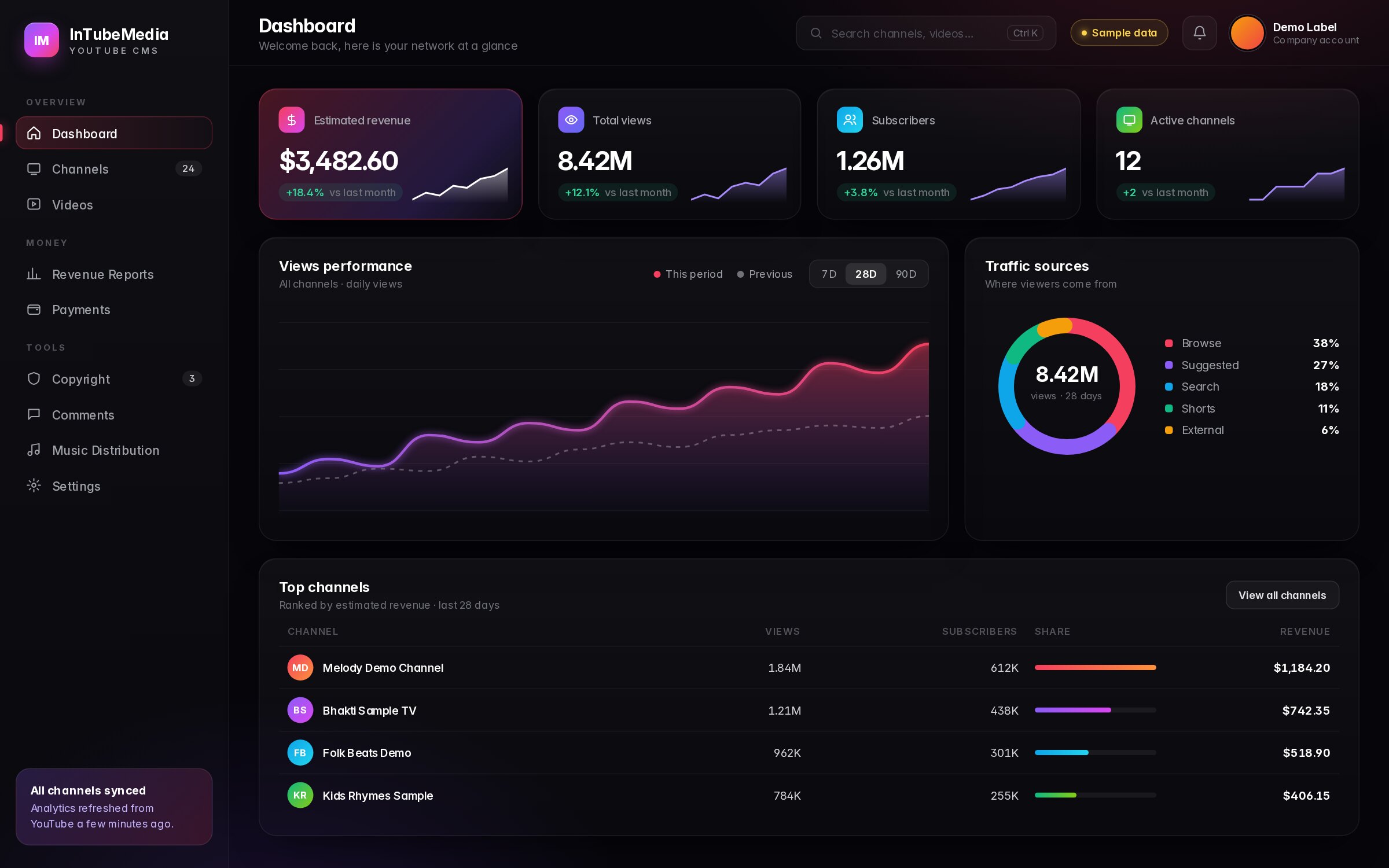
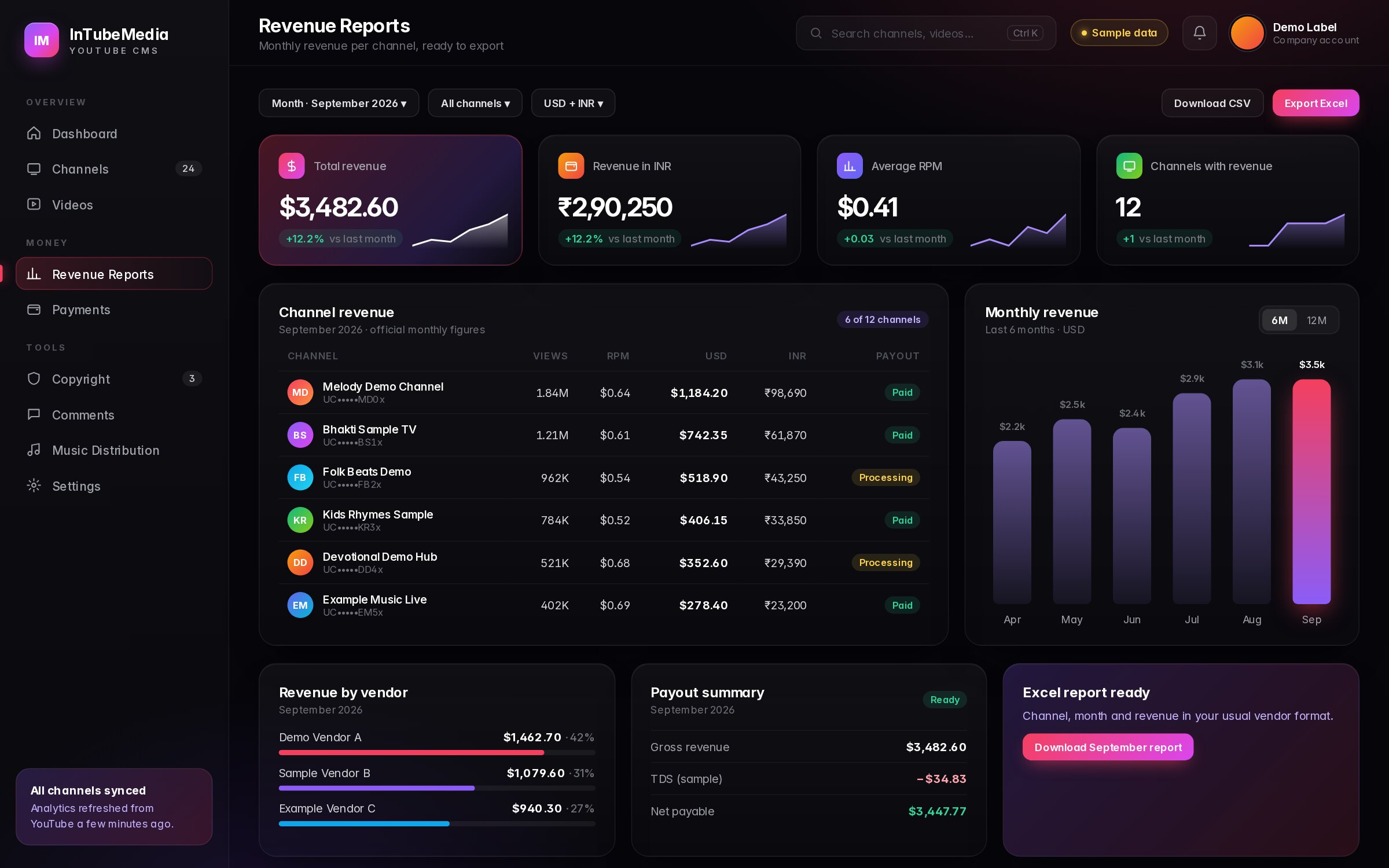
Channel dashboard
Revenue, views, subscribers, traffic sources and top channels at a glance.
Revenue reports
Per-channel monthly revenue in USD and INR, vendor split, payouts and Excel export.
Screenshots use sample channels and sample figures. Real channel and revenue data is shown only to the signed-in account that owns or manages the channel.
Sign up with your email or Google account. The same email opens the same CMS identity; newly added channels follow the required approval and authorization flow.
Link your YouTube channels by authorizing access through Google OAuth. We use YouTube Data API and YouTube Analytics API to fetch your channel data securely.
View your revenue, analytics, videos and payments in a unified dashboard. Export reports, manage claims and grow your channel.
InTubeMedia uses the YouTube Data API and YouTube Analytics API to provide channel management features. We only access data that you explicitly authorize:
Read our full Privacy Policy and Terms & Conditions for details on how we handle your data.
Sign in to open your InTubeMedia dashboard for channels, reports and payments.